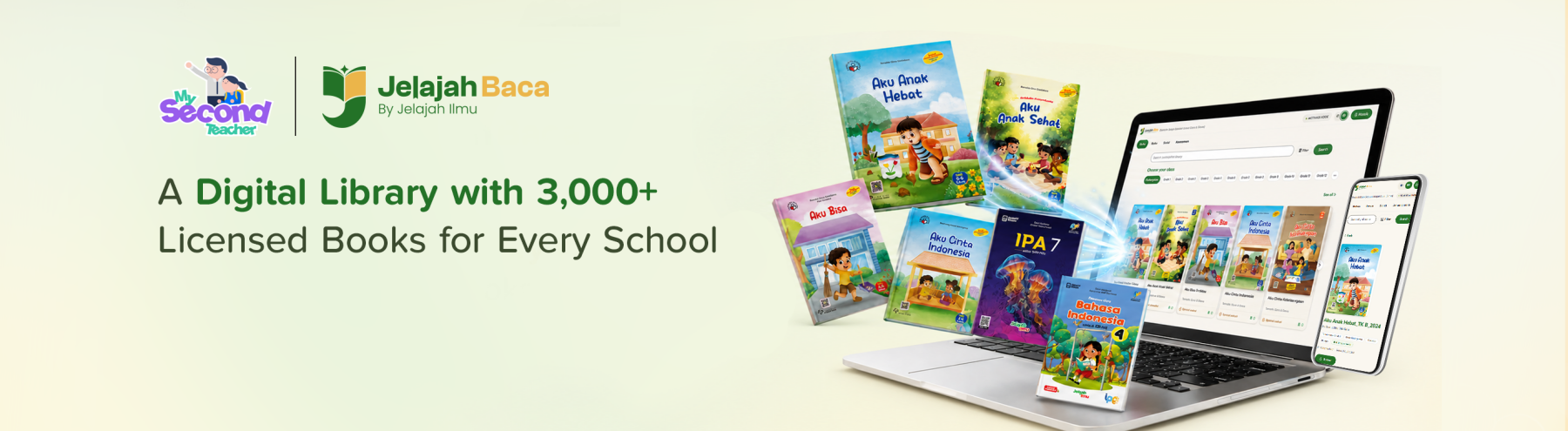
A Digital Library with 3k+ Unique Books including Government-approved Textbooks and Workbooks for Every School: Jelajah Baca Brings Licensed Lending to Shared School Devices
Blog published on August 25, 2026 • By mySecondTeacher



MST/Intan Pariwara Edukasi announces the release of Jelajah Baca, a digital library with 3k+ unique books including government-approved textbooks and workbooks in Indonesia.
What is Jelajah Baca?
Jelajah Baca is a browser-based digital library licensed to a school rather than to its students. Each school reaches it at its own address, with its own name and logo on screen before anyone signs in, and its own catalogue behind that.
Children sign in with a shared class account -- one login for a whole class, with no email address and no personal password. No personal data is collected from a child at any point, and a school with forty classes manages roughly forty accounts rather than several hundred.
Borrowing is governed by a borrow code that the school sets. Without it, no licensed book opens. Teachers decide when the collection is in use, and the code can be changed whenever a school wants to.
It runs on the devices schools already have. The interface is built for Chromebooks and Indonesian school connections -- large covers, large type, shelves that scroll sideways -- and is designed so a seven-year-old can find a book without help.
How does Jelajah Baca work?
The school gets its own address. School name and logo appear before login, so a child arrives somewhere that belongs to their school rather than at a generic product.
A class signs in with one account. No email, no personal password, nothing for a child to remember or lose. Two classes signed in at once are two separate sessions, each with its own borrowing.
A child borrows with the school's code. One reading seat is taken, and the number still available is visible on the page -- so a class can see the collection the way they would see a shelf.
The book opens with a session timer. It is theirs while they are reading it, exactly as a borrowed book is.
The seat returns by itself. On return, on sign-out, or when a device is closed and the session stops. No seat is held indefinitely because a browser tab was forgotten.
Some books never need borrowing. The school's own publications and public-domain classics open straight away and consume no licensed seat.
The licence is the product
The part that makes the rest work is the commercial model, and it is worth stating plainly: a school pays for simultaneous readers, not for copies.
A school might licence ten student seats and three teacher seats. Ten children read at once; the eleventh waits briefly for a book to come back. Cost follows the reading a school actually does rather than the number of pupils on its roll, which is what allows a small school to carry a full catalogue instead of a thin one.
Three consequences matter in daily use.
Teachers have a separate quota. Teacher's guides draw on their own seats, so a class reading through a lesson never exhausts teacher access -- and a teacher preparing at the same time never takes a seat from a child.
Seats return without anyone managing them. A book comes back on return, on sign-out, or when a session lapses. Nobody has to chase an overdue loan, because there is no such thing.
The limit belongs to the licence, not to the school. The number of seats is set by the agreement rather than by a setting an administrator can change, which is what makes publishers willing to put current material into the collection in the first place.
Three roles, one collection
Students browse the shelves, search, or explore by subject and year group; borrow, read, and return.
Teachers see everything students see, plus teacher's guides that never appear on a student's screen -- absent from what a student's device receives, not merely hidden from view. Teachers can also post announcements that appear on every child's landing page.
School administrators run the library day to day: creating and managing class accounts, setting the borrow code and how many books a child may hold at once, seeing what is currently on loan, and returning a book if a device was closed mid-read.
How to use Jelajah Baca effectively
Set a borrow code the class can remember, and change it each term. It is a classroom routine, not a security measure -- six characters, said out loud at the start of a lesson.
Put the school's own materials in early. Yearbooks, the student handbook, the academic calendar, collections of pupils' writing. They cost no licensed seats, and a library that contains the school itself gets opened more often.
Start children on the free shelves. Classics and school publications need no borrowing, so a child's first visit can end in reading rather than in a code they do not yet have.
Match the seats to a class, not to the school. Concurrency is about how many read at once. One class reading together is the unit that matters when deciding how many seats to licence.
Use announcements for the library, not for everything. A notice about a reading week or a new title lands where children already are. A board full of general notices stops being read.
Let a return be a return. Encourage children to return a book when they stop reading rather than leaving the tab open. It is the same habit a physical library teaches, and here it immediately gives the seat to a classmate.
By licensing simultaneous readers rather than copies, Jelajah Baca lets a school carry a collection it could not otherwise afford, and lets that collection behave the way a library behaves -- books that go out, come back, and are available to the next child. It asks nothing of students beyond the devices a school already has, and nothing of children beyond a class code and a borrow code.
Jelajah Baca is available at jelajahbaca.com. Schools can arrange a walkthrough of the full student, teacher and administrator experience, and discuss the number of licensed seats that suits their reading week.